How to Make a Map in Minecraft
By
Minecraft Search
|
9 min read
|
Updated on
October 6, 2026
Written with AI assistance.
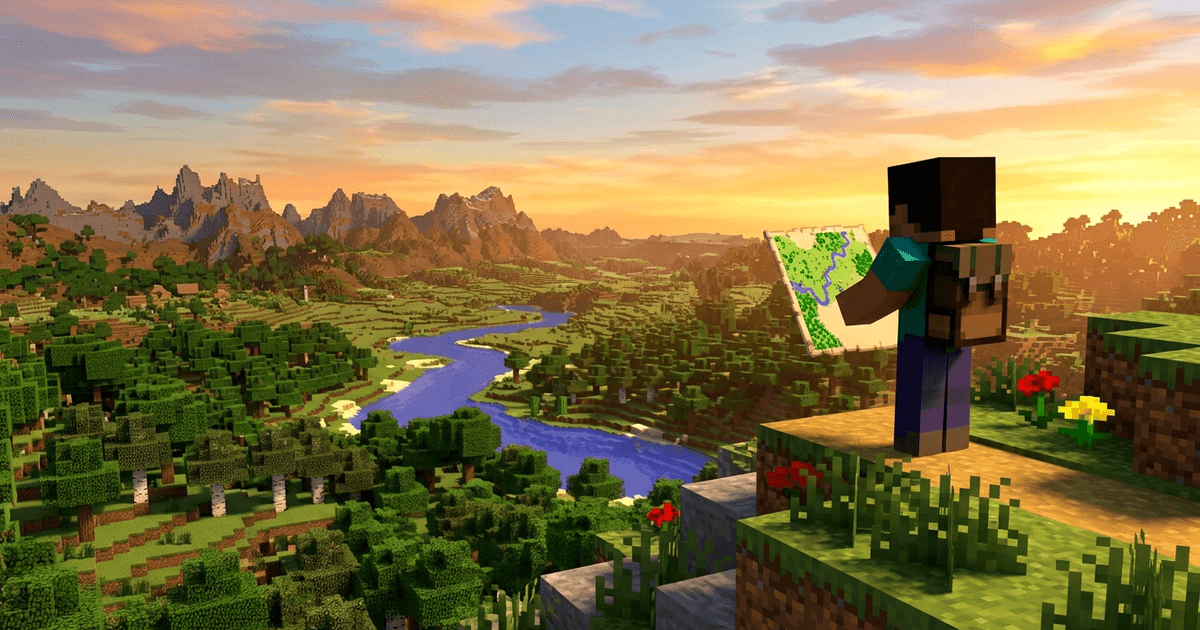
TL;DR: How to Make a Map in Minecraft
- ✅ Java: to make a map in Minecraft, put 8 Paper around 1 Compass in a crafting table. You get an Empty Map. Use it and it draws the land around you.
- ✅ Bedrock: 9 Paper makes an Empty Map that does not show where you are. 8 Paper around a Compass makes an Empty Locator Map, which does. Build that one.
- ✅ Bigger map: add 1 Paper at a cartography table, up to 4 times. A full-size map covers 2,048 × 2,048 blocks.
- ✅ Want the whole world at once? A map only shows what you have walked past. Our Seed Map shows every village, temple and camp on your seed before you set off.
A map is one of the first useful things you can craft, and it is easy to get slightly wrong. Bedrock players craft one, walk around, and find no arrow showing where they are. Java players zoom out, and find their base pressed into a corner. This guide gives the recipe for both editions, read from the games' own recipe files, then everything you can do with a map afterwards: make it bigger, copy it, lock it, hang it on a wall. It ends with the explorer maps that changed in the Wilderness Bound update. Everything here is checked against Java 26.3 and Bedrock 1.26.51.
What Do You Need to Make a Map?
You need 8 Paper and 1 Compass, plus a crafting table. That is 9 Sugar Cane for the paper (every 3 Sugar Cane make 3 Paper, so you get 9 Paper with 1 to spare) and 4 Iron Ingots and 1 Redstone Dust for the compass. Sugar cane grows on the edge of water almost everywhere, and you can replant it. Iron and redstone both come from an early mining trip.
| Step | Ingredients | Makes |
|---|---|---|
| 1. Paper | 3 ×  Sugar Cane in a row Sugar Cane in a row | 3 ×  Paper Paper |
| 2. Compass | 4 ×  Iron Ingot around 1 × Iron Ingot around 1 ×  Redstone Dust Redstone Dust | 1 ×  Compass Compass |
| 3. Map | 8 × Paper around 1 × Compass | 1 ×  Empty Map Empty Map |
To start the map, hold it and use it (right-click on PC, the use button on console and phone). It turns into a map and starts drawing the land around you as you walk. It only fills in while you hold it, so keep it in your hand on the walk if you want the full square drawn.
Is the Map Recipe Different in Java and Bedrock?
Yes. Java has one map recipe. Bedrock has two kinds of empty map, and several ways to make them. In Java every map shows your position. Bedrock splits it: a map made from paper alone shows the land but no player marker, and a map made with a compass, called a locator map, shows the marker. If you are on Bedrock and your map has no arrow, this is why, and you don't have to start over: add a Compass to the map you already have and it becomes a locator map that keeps everything it has drawn.
| What you put in | Where | Java 26.3 | Bedrock 1.26.51 |
|---|---|---|---|
| 8 Paper around 1 Compass | Crafting table | Empty Map (shows you) | Empty Locator Map (shows you) |
| 9 Paper | Crafting table | Nothing | Empty Map (no marker) |
| 1 Paper |  Cartography Table Cartography Table | Nothing | Empty Map (no marker) |
| 1 Paper + 1 Compass | Cartography Table | Nothing | Empty Locator Map |
| 1 Empty Map + 1 Compass | Crafting table or Cartography Table | Nothing | Empty Locator Map (adds the marker) |
| A map you have drawn + 1 Compass | Crafting table, Cartography Table or  Anvil Anvil | Nothing (Java maps already show you) | The same map with your marker; it keeps its drawing and zoom |
Bedrock tip: one paper is enough
On Bedrock, a cartography table turns a single Paper into an Empty Map, and 1 Paper + 1 Compass into an Empty Locator Map. That is up to 9 times cheaper than the crafting table. If you plan to make a wall of maps, build the cartography table first.
How Do You Make a Bigger Map in Minecraft?
Put your map and 1 Paper into a cartography table. Each paper zooms the map out one level, and level 4 is the largest. A new map starts at level 0, covering 128 × 128 blocks with one pixel per block. Every level doubles the width and height, so the same 128 × 128 pixels cover four times the area, in less detail.
| Zoom level | Area covered | Blocks per pixel | Total Paper from a new map |
|---|---|---|---|
| 0 (new map) | 128 × 128 blocks | 1 | 0 |
| 1 | 256 × 256 blocks | 4 (2 × 2) | 1 |
| 2 | 512 × 512 blocks | 16 (4 × 4) | 2 |
| 3 | 1,024 × 1,024 blocks | 64 (8 × 8) | 3 |
| 4 (largest) | 2,048 × 2,048 blocks | 256 (16 × 16) | 4 |
- A crafting table can zoom a map too: put the map in the middle and 8 Paper around it. It does the same thing as the cartography table, for 8 times the paper. Use the cartography table.
- A locked map can't grow. Lock a map only once it is the size you want.
- Zooming starts the map over. The bigger map comes out blank and fills in again as you walk with it. It is also coarser: small details like a path or a single house can disappear at level 3 and 4.
- There is no way to zoom back in. Copy the map before you zoom it if you want to keep the small, detailed one.
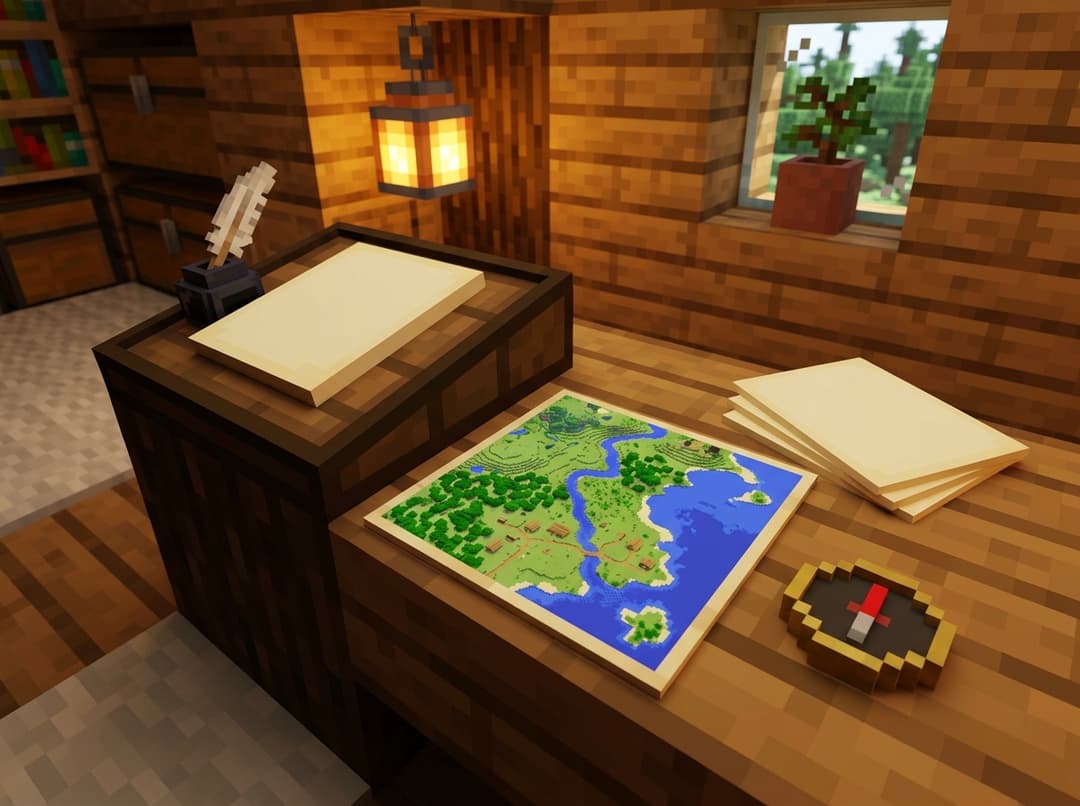
What Does a Cartography Table Do?
A cartography table is the map workbench: it zooms, copies and locks maps, more cheaply than a crafting table. You craft it from 2 Paper on top of 4 planks of any wood. It is also the job block of the Cartographer villager, so placing one next to an unemployed villager gives you a map trader.
| Put in | You get | Java | Bedrock |
|---|---|---|---|
| Map + 1 Paper | The map, one zoom level larger (blank again) | ✅ | ✅ |
| Map + 1 Empty Map | 2 identical maps | ✅ | ✅ |
Map + 1  Glass Pane Glass Pane | A locked map that never changes | ✅ | ✅ |
| 1 Paper | An Empty Map | — | ✅ |
| 1 Paper + 1 Compass | An Empty Locator Map | — | ✅ |
| Map + 1 Compass | The same map, now showing where you are | — | ✅ |
| Any map, then type a name | A renamed map, free | — (use an anvil) | ✅ |
The glass pane has to be a plain Glass Pane. Stained glass panes don't work.
How Do You Copy, Lock and Frame a Map?
Copy it with an Empty Map at a cartography table, or in a crafting grid. The crafting grid takes one drawn map plus up to 8 Empty Maps and gives you the original back plus one copy per Empty Map. That is 9 identical maps from one craft, handy for giving every player on a server the same base map. Copies stay linked: when one is updated, they all are.
Lock it with a Glass Pane at a cartography table when the picture is finished. A locked map keeps its picture even if the land changes, which is what you want for map art or for a "before" picture of your build. It can still be copied, but not zoomed.
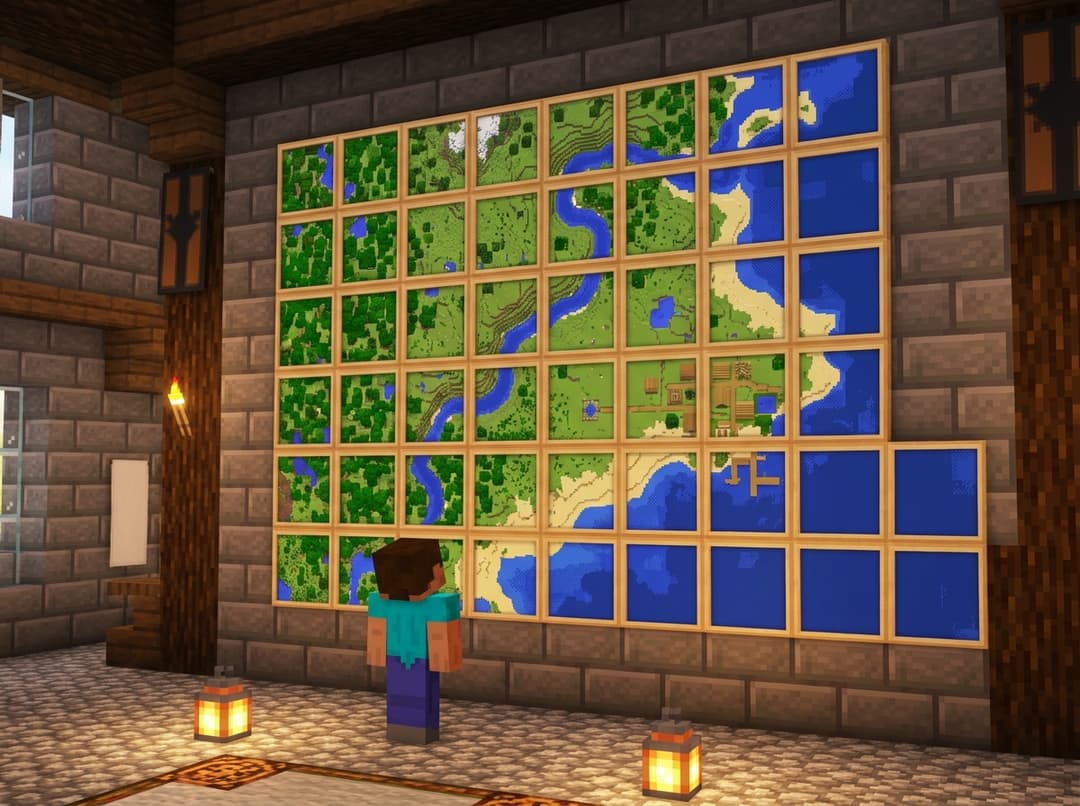
Frame it by placing an Item Frame on a wall and using the map on it. A framed map fills the whole frame, and the parts you haven't explored are see-through. Put several frames side by side with maps of neighbouring areas and they join up into one big picture. That is a map wall.
 Item Frame: 8 Sticks around 1 Leather. One per map on the wall.
 Glow Item Frame: an Item Frame plus a Glow Ink Sac. It keeps the map bright in a dark room.
Java only: put your base on the map
In Java, use a map on a placed banner and the map gets a marker in the banner's colour at that spot. Rename the banner at an anvil first and the marker shows its name. It is the easiest way to mark your base, your Nether portal and your villager hall on one map. Bedrock maps have no banner markers.
Why Is My Map Off-Centre?
Because maps don't centre on you. The world is split into a fixed grid of map squares, and a new map draws the square you are standing in, wherever you are inside it. Zooming out swaps in the next bigger square of the grid, which is why your base can end up near an edge. The square that holds the world's 0,0 point has these edges:
| Zoom level | Square that holds 0,0 (X and Z) | Next square starts at |
|---|---|---|
| 0 | −64 to 63 | 64 |
| 1 | −64 to 191 | 192 |
| 2 | −64 to 447 | 448 |
| 3 | −64 to 959 | 960 |
| 4 | −64 to 1,983 | 1,984 |
Every other square lines up with these, at the same size. So maps made in neighbouring squares at the same zoom level always tile perfectly on a map wall. To get your base in the middle of a big map, build it near the middle of a square: for a level 3 map around 0,0 that is about X 448, Z 448.
Where Do Explorer Maps Come From in 26.3?
Explorer maps are maps you cannot craft. Each one is already drawn with a marker on one structure, and you buy it from a Cartographer or find it in a chest. The Wilderness Bound update (Java 26.3, Bedrock 26.50) added five new ones in both editions: a camp map, and four maps that only an abandoned camp's secret chest gives you. In Java 26.3 every kind of explorer map is also its own item now. The names below are Java's.
| Map | Leads to | Where to get it |
|---|---|---|
 Plains Village Map · Plains Village Map ·  Desert Village Map · Desert Village Map ·  Savanna Village Map · Savanna Village Map ·  Snowy Village Map · Snowy Village Map ·  Taiga Village Map Taiga Village Map | The nearest village of that type | Apprentice 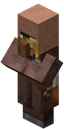 Cartographer: 8 emeralds + a compass Cartographer: 8 emeralds + a compass |
 Jungle Pyramid Map Jungle Pyramid Map |  Jungle Pyramid Jungle Pyramid | Apprentice cartographer: 8 emeralds + a compass; abandoned camp secret chest |
 Swamp Hut Map Swamp Hut Map |  Swamp Hut Swamp Hut | Apprentice cartographer: 8 emeralds + a compass |
 Buried Trial Chambers Map Buried Trial Chambers Map |  Trial Chambers Trial Chambers | Journeyman cartographer: 12 emeralds + a compass; abandoned camp secret chest |
 Ocean Monument Map Ocean Monument Map |  Ocean Monument Ocean Monument | Journeyman cartographer: 13 emeralds + a compass |
 Woodland Mansion Map Woodland Mansion Map |  Woodland Mansion Woodland Mansion | Master cartographer: 14 emeralds + a compass; abandoned camp secret chest |
 Abandoned Camp Map (new; in game it is named after a biome, like Dappled Forest Camp Map) Abandoned Camp Map (new; in game it is named after a biome, like Dappled Forest Camp Map) |  Abandoned Camp (in a different biome) Abandoned Camp (in a different biome) | An abandoned camp's common chest |
 Buried Ancient City Map (new) Buried Ancient City Map (new) |  Ancient City Ancient City | Only an abandoned camp's secret chest |
 Buried Mineshaft Map (new) Buried Mineshaft Map (new) |  Mineshaft Mineshaft | Only an abandoned camp's secret chest |
 Desert Pyramid Map (new) Desert Pyramid Map (new) |  Desert Pyramid Desert Pyramid | Only an abandoned camp's secret chest |
 Warm Ocean Ruins Map (new) Warm Ocean Ruins Map (new) |  Ocean Ruin (warm) Ocean Ruin (warm) | Only an abandoned camp's secret chest |
| Buried Treasure Map | Buried Treasure |  Shipwreck map chests and Ocean Ruin chests Shipwreck map chests and Ocean Ruin chests |
- Cartographer prices are the same in Java and Bedrock. A Novice cartographer also sells a plain Empty Map for 7 emeralds.
- A cartographer's village decides which village and temple maps it can offer, in both editions. A plains cartographer, for example, can offer the Savanna and Taiga Village Maps but not the Plains one. To get a particular map, find a cartographer from a different village type.
- The camp maps are the same in both editions. The secret chest picks one of the same seven maps in Java and Bedrock, and a camp map never leads to a camp in the biome you found it in.
- Copy an explorer map before a long trip (Empty Map + the explorer map at a cartography table), so a lost map isn't a lost structure.
Want the camp itself? Our dappled forest guide covers where camps generate and which ones hide the secret chest. For the full cartographer trade list, see the villager trades guide.
A map item only draws what you have walked past, and an explorer map points to one structure. Our Seed Map shows your whole world before you walk it: every village, trial chamber, mansion, monument, ancient city and abandoned camp on your seed. The button opens it on Java 26.3; on Bedrock, switch the edition to Bedrock before you type your seed.
Open the Seed Map →New to it? How to use a seed map walks you through it in five minutes.
Frequently Asked Questions (FAQ)
Q: How do you make a map in Minecraft?
A: Craft 8 Paper around 1 Compass in a crafting table. In Java that makes an Empty Map. In Bedrock it makes an Empty Locator Map, the version that shows where you are. Hold it and use it to start drawing.
Q: Why does my Bedrock map not show where I am?
A: It was made from paper alone (9 Paper, or 1 Paper at a cartography table). That kind of map has no player marker. Add a Compass to it, in a crafting grid, at a cartography table or on an anvil. It becomes a locator map and keeps everything it has already drawn, at the same zoom level.
Q: How much paper do you need for a full-size map?
A: In Java, 8 Paper for the map itself, then 4 more at a cartography table to reach zoom level 4 (2,048 × 2,048 blocks): 12 Paper in all, or 40 if you zoom in a crafting table instead (8 Paper per level). On Bedrock it can be as few as 5: 1 Paper + 1 Compass at a cartography table makes an Empty Locator Map, then 4 more Paper there zoom it to level 4.
Q: Do maps work in the Nether and the End?
A: In the End, yes, they draw the land and show your position as normal. A map of the Nether shows only a red-and-gray pattern and the pointer spins, so it is little help there. An Overworld map held in the Nether does more: in Java it shows your last position in the Overworld, and in Bedrock an Overworld locator map shows where you are relative to the Overworld.
Q: Can you zoom in on a map?
A: No. Zooming only goes out, one level per Paper, up to level 4, and the zoomed map starts blank. Copy the map before zooming if you want to keep the smaller, more detailed one.